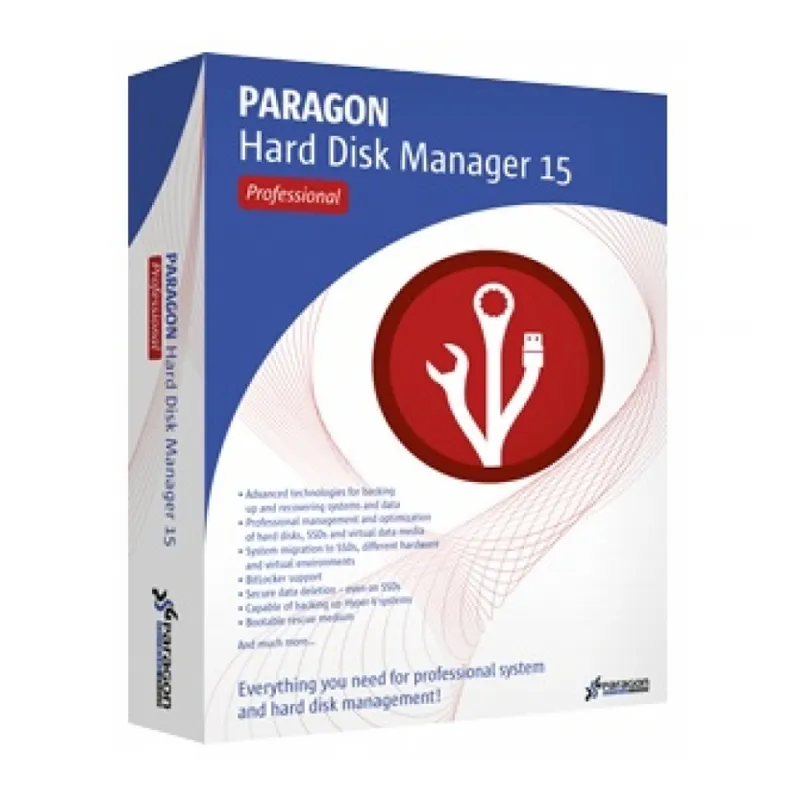
Paragon Hard Disk Manager 15 Professional is an all-in-one solution designed to manage hard drives, protect data, and ensure reliable system backup and recovery. It combines advanced partitioning tools, full system backup capabilities, and migration features into a single professional-grade utility.
Whether you’re upgrading hardware, migrating your operating system, creating backups, or recovering from system failure, Hard Disk Manager 15 Professional provides powerful tools to maintain performance and safeguard your data. It is ideal for IT professionals, power users, and businesses that require dependable disk management solutions.
Key Features & Benefits:
Full System Backup & Restore – Create complete system images for reliable disaster recovery.
Advanced Partition Management – Resize, move, merge, split, and manage disk partitions safely.
OS Migration – Transfer your operating system to SSD or new hardware without reinstalling.
File-Level Backup – Back up individual files and folders.
Bootable Recovery Media – Create rescue media for system recovery.
Disk Cloning – Clone entire drives for upgrades or replacements.
Data Security Tools – Securely wipe sensitive data from storage devices.
Paragon Hard Disk Manager 15 Professional is ideal for users who need advanced disk control, system migration tools, and reliable data protection in one professional package.
Installation and Activation
Purchase the license and receive activation details via email.
Download the installer from the official Paragon website.
Run the setup file and follow the installation wizard.
Enter your license key to activate the software.
Activation Notes:
Requires a valid product license key.
Internet connection may be required for activation.
License is typically valid for one PC unless otherwise specified.
💡 Activation instructions will be provided immediately after purchase.
System Requirements
Operating System: Windows 7 / 8 / 10 / 11
Processor: 1 GHz or faster
RAM: 2 GB minimum (4 GB recommended)
Storage: 250 MB available disk space
Internet: Required for activation and updates
💡 Administrator privileges required for disk management operations.
Paragon Hard Disk Manager 15 Professional is an all-in-one solution designed to manage hard drives, protect data, and ensure reliable system backup and recovery. It combines advanced partitioning tools, full system backup capabilities, and migration features into a single professional-grade utility.
Whether you’re upgrading hardware, migrating your operating system, creating backups, or recovering from system failure, Hard Disk Manager 15 Professional provides powerful tools to maintain performance and safeguard your data. It is ideal for IT professionals, power users, and businesses that require dependable disk management solutions.
Key Features & Benefits:
Full System Backup & Restore – Create complete system images for reliable disaster recovery.
Advanced Partition Management – Resize, move, merge, split, and manage disk partitions safely.
OS Migration – Transfer your operating system to SSD or new hardware without reinstalling.
File-Level Backup – Back up individual files and folders.
Bootable Recovery Media – Create rescue media for system recovery.
Disk Cloning – Clone entire drives for upgrades or replacements.
Data Security Tools – Securely wipe sensitive data from storage devices.
Paragon Hard Disk Manager 15 Professional is ideal for users who need advanced disk control, system migration tools, and reliable data protection in one professional package.
Purchase the license and receive activation details via email.
Download the installer from the official Paragon website.
Run the setup file and follow the installation wizard.
Enter your license key to activate the software.
Activation Notes:
Requires a valid product license key.
Internet connection may be required for activation.
License is typically valid for one PC unless otherwise specified.
💡 Activation instructions will be provided immediately after purchase.
Operating System: Windows 7 / 8 / 10 / 11
Processor: 1 GHz or faster
RAM: 2 GB minimum (4 GB recommended)
Storage: 250 MB available disk space
Internet: Required for activation and updates
💡 Administrator privileges required for disk management operations.