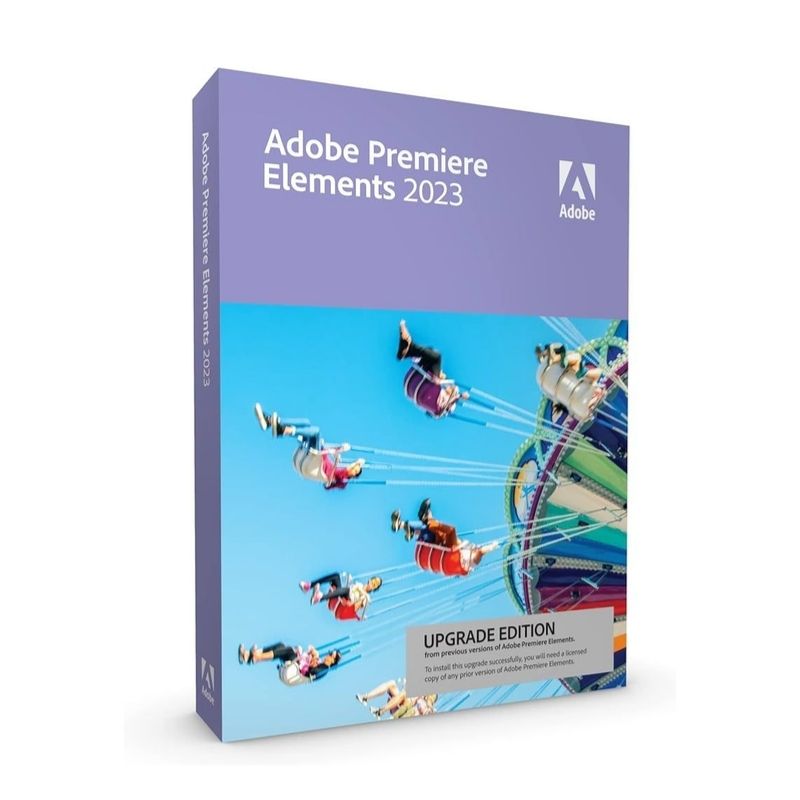
Adobe Premiere Elements 2023 Windows New Purchase

$ 70.74

Original price was: $ 145.90.Current price is: $ 17.90.

Original price was: $ 245.22.Current price is: $ 25.95.

Original price was: $ 198.50.Current price is: $ 15.95.

Original price was: $ 99.90.Current price is: $ 15.95.

Product Description

Adobe Premiere Elements 2023 for Windows is designed for users who want powerful video editing features without the complexity of professional editing suites. It combines intelligent automation with creative control, allowing you to edit and enhance videos quickly and efficiently.

With built-in AI technology, automated video creation, and step-by-step guided edits, Premiere Elements 2023 makes it simple to trim clips, add transitions, enhance colors, and create cinematic effects. Whether you’re editing family memories, social media content, or YouTube videos, this edition provides essential tools for polished, professional-looking results.

Key Features & Benefits:

  • AI-Powered Editing – Automatically enhance videos using intelligent features.
  • Guided Edits – Step-by-step instructions to create professional effects easily.

  • Creative Effects & Transitions – Add titles, filters, overlays, and stylish transitions.
  • Color & Lighting Adjustments – Improve video quality with intuitive controls.
  • Automated Video Creation – Instantly create highlight reels from selected clips.
  • HD & 4K Support – Edit and export high-resolution video projects.
  • One-Time Purchase – No subscription required.

Adobe Premiere Elements 2023 is ideal for beginners and home users who want reliable video editing tools with long-term value.

Installation Steps:

  1. Purchase the product and receive activation details via email.
  2. Download the installer from the official Adobe website.
  3. Run the setup file and follow the installation wizard.
  4. Sign in with your Adobe account and enter your serial key to activate.

Activation Notes:

  • This is a new purchase license (not an upgrade).
  • Requires a valid Adobe account.
  • Internet connection required for activation.
  • License typically valid for one Windows PC.

💡 Activation instructions are delivered immediately after purchase.

  • Operating System: Windows 10 / 11 (64-bit)
  • Processor: 6th Gen Intel Core i5 or equivalent
  • RAM: 8 GB minimum (16 GB recommended)
  • Graphics: DirectX 12 compatible GPU
  • Storage: 8 GB available disk space
  • Internet: Required for activation and updates

💡 A dedicated graphics card is recommended for optimal performance when editing HD and 4K videos.

Adobe Premiere Elements 2023 for Windows is designed for users who want powerful video editing features without the complexity of professional editing suites. It combines intelligent automation with creative control, allowing you to edit and enhance videos quickly and efficiently.

With built-in AI technology, automated video creation, and step-by-step guided edits, Premiere Elements 2023 makes it simple to trim clips, add transitions, enhance colors, and create cinematic effects. Whether you’re editing family memories, social media content, or YouTube videos, this edition provides essential tools for polished, professional-looking results.

Key Features & Benefits:

  • AI-Powered Editing – Automatically enhance videos using intelligent features.
  • Guided Edits – Step-by-step instructions to create professional effects easily.
  • Creative Effects & Transitions – Add titles, filters, overlays, and stylish transitions.
  • Color & Lighting Adjustments – Improve video quality with intuitive controls.
  • Automated Video Creation – Instantly create highlight reels from selected clips.
  • HD & 4K Support – Edit and export high-resolution video projects.
  • One-Time Purchase – No subscription required.

Adobe Premiere Elements 2023 is ideal for beginners and home users who want reliable video editing tools with long-term value.

Installation Steps:

  1. Purchase the product and receive activation details via email.
  2. Download the installer from the official Adobe website.
  3. Run the setup file and follow the installation wizard.
  4. Sign in with your Adobe account and enter your serial key to activate.

Activation Notes:

  • This is a new purchase license (not an upgrade).
  • Requires a valid Adobe account.
  • Internet connection required for activation.
  • License typically valid for one Windows PC.

💡 Activation instructions are delivered immediately after purchase.

  • Operating System: Windows 10 / 11 (64-bit)
  • Processor: 6th Gen Intel Core i5 or equivalent
  • RAM: 8 GB minimum (16 GB recommended)
  • Graphics: DirectX 12 compatible GPU
  • Storage: 8 GB available disk space
  • Internet: Required for activation and updates

💡 A dedicated graphics card is recommended for optimal performance when editing HD and 4K videos.

Language »