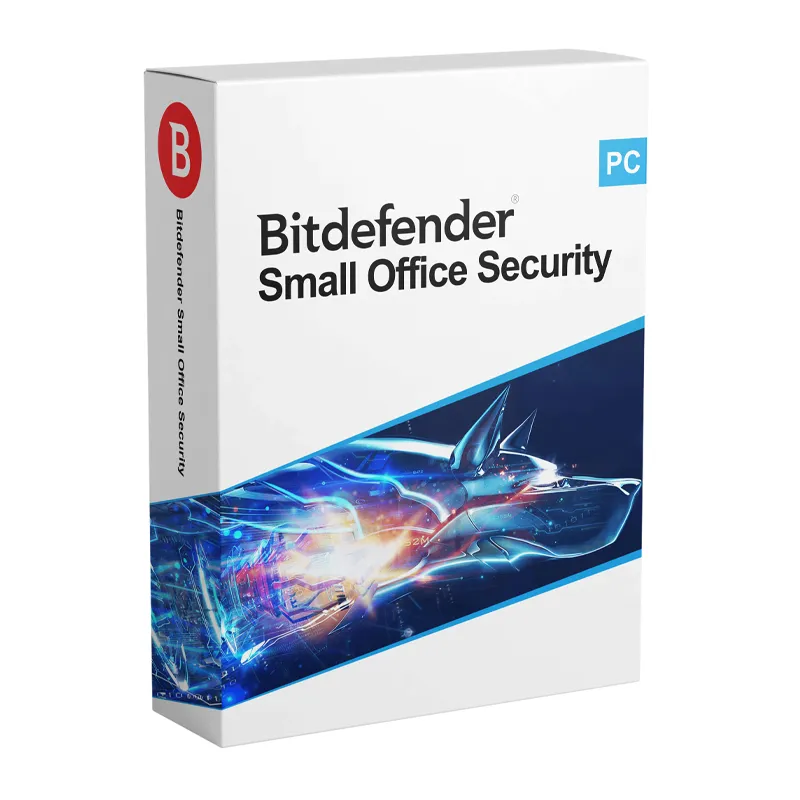
Bitdefender Small Office Security 2026 is designed specifically for small businesses that need powerful cybersecurity without complex IT infrastructure. It protects Windows and macOS devices against advanced threats while offering simple cloud-based management.
The 2026 edition delivers multi-layered ransomware protection, advanced network defense, web filtering, and real-time threat detection powered by Bitdefender’s award-winning security engine. With centralized control through Bitdefender GravityZone, business owners can easily monitor and manage device security from a single dashboard.
Advanced Ransomware Defense – Prevents file encryption and protects critical business data.
Centralized Management – Manage and monitor all devices from a cloud-based console.
Network Threat Protection – Prevents exploits and suspicious network activities.
Web & Phishing Protection – Blocks malicious websites and fraudulent emails.
Device & Policy Control – Customize security policies for different business roles.
Low System Impact – Optimized to run smoothly without affecting productivity.
Bitdefender Small Office Security 2026 is ideal for startups, freelancers, and growing businesses that require strong, scalable, and easy-to-manage cybersecurity protection.
Installation and Activation
Installation Steps:
Purchase the license and receive activation details via email.
Create or log in to your Bitdefender GravityZone account.
Download the security agent from the cloud dashboard.
Install the agent on company devices.
Devices automatically connect to the central management console.
Activation Notes:
Requires an active business subscription.
Internet connection required for cloud management and updates.
Device coverage depends on the selected license plan.
💡 Activation and deployment instructions will be delivered immediately after purchase.
System Requirements
Windows: Windows 10 / 11
macOS: Supported latest macOS versions
Processor: 1.6 GHz or faster
RAM: 2 GB minimum (4 GB recommended)
Storage: 2.5 GB available disk space
Internet: Required for activation and centralized management
💡 Ensure company devices are updated for optimal protection and compatibility.
Bitdefender Small Office Security 2026 is designed specifically for small businesses that need powerful cybersecurity without complex IT infrastructure. It protects Windows and macOS devices against advanced threats while offering simple cloud-based management.
The 2026 edition delivers multi-layered ransomware protection, advanced network defense, web filtering, and real-time threat detection powered by Bitdefender’s award-winning security engine. With centralized control through Bitdefender GravityZone, business owners can easily monitor and manage device security from a single dashboard.
Advanced Ransomware Defense – Prevents file encryption and protects critical business data.
Centralized Management – Manage and monitor all devices from a cloud-based console.
Network Threat Protection – Prevents exploits and suspicious network activities.
Web & Phishing Protection – Blocks malicious websites and fraudulent emails.
Device & Policy Control – Customize security policies for different business roles.
Low System Impact – Optimized to run smoothly without affecting productivity.
Bitdefender Small Office Security 2026 is ideal for startups, freelancers, and growing businesses that require strong, scalable, and easy-to-manage cybersecurity protection.
Installation Steps:
Purchase the license and receive activation details via email.
Create or log in to your Bitdefender GravityZone account.
Download the security agent from the cloud dashboard.
Install the agent on company devices.
Devices automatically connect to the central management console.
Activation Notes:
Requires an active business subscription.
Internet connection required for cloud management and updates.
Device coverage depends on the selected license plan.
💡 Activation and deployment instructions will be delivered immediately after purchase.
Windows: Windows 10 / 11
macOS: Supported latest macOS versions
Processor: 1.6 GHz or faster
RAM: 2 GB minimum (4 GB recommended)
Storage: 2.5 GB available disk space
Internet: Required for activation and centralized management
💡 Ensure company devices are updated for optimal protection and compatibility.