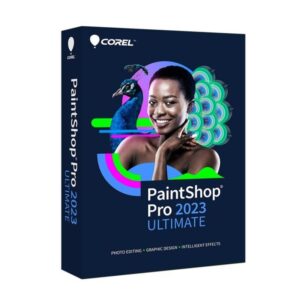
Corel PaintShop Pro 2023

$ 29.44

Buy Now

Original price was: $ 145.90.Current price is: $ 17.90.

Original price was: $ 245.22.Current price is: $ 25.95.

Original price was: $ 198.50.Current price is: $ 15.95.

Original price was: $ 99.90.Current price is: $ 15.95.

Product Description

Corel PaintShop Pro 2023 provides a complete set of photo editing and graphic design tools designed for photographers, content creators, and creative professionals. With advanced layer-based editing, AI-powered enhancements, and RAW file support, it allows you to transform images with precision and creativity.

This edition offers a user-friendly interface combined with professional features such as color correction, retouching tools, background removal, and creative filters. Whether you are editing portraits, restoring old photos, or designing digital graphics, PaintShop Pro 2023 delivers performance and flexibility without a subscription requirement.

Key Features & Benefits:

  • AI-Powered Enhancements – Automatic improvements for image clarity and detail.
  • Layer-Based Editing – Advanced control using layers, masks, and blending modes.
  • RAW Image Support – Edit high-quality RAW files with precision.
  • Photo Retouching Tools – Remove blemishes, unwanted objects, and imperfections.
  • Color Correction & Adjustment – Fine-tune exposure, brightness, and contrast.

  • Creative Filters & Effects – Enhance images with built-in artistic tools.
  • Batch Processing – Edit multiple images at once for efficient workflow.
  • One-Time Purchase – No subscription required.

Corel PaintShop Pro 2023 is ideal for users who want professional photo editing tools with full creative control and long-term value.

Installation Steps:

  1. Purchase the software and receive activation details via email.
  2. Download the installer from the official Corel website.
  3. Run the setup file and follow the installation instructions.
  4. Enter your license key or sign in to activate the software.

Activation Notes:

  • Requires a valid product license key.
  • Internet connection required for activation and updates.
  • License typically valid for one PC unless otherwise specified.

💡 Activation instructions are provided immediately after purchase.

  • Operating System: Windows 10 / 11 (64-bit)
  • Processor: Intel Core i3 or AMD equivalent (Intel Core i5 recommended)
  • RAM: 4 GB minimum (8 GB recommended)
  • Graphics: DirectX 12 compatible graphics card
  • Storage: 3 GB available disk space
  • Internet: Required for activation and updates

💡 A dedicated GPU is recommended for optimal performance with high-resolution image editing.

Corel PaintShop Pro 2023 provides a complete set of photo editing and graphic design tools designed for photographers, content creators, and creative professionals. With advanced layer-based editing, AI-powered enhancements, and RAW file support, it allows you to transform images with precision and creativity.

This edition offers a user-friendly interface combined with professional features such as color correction, retouching tools, background removal, and creative filters. Whether you are editing portraits, restoring old photos, or designing digital graphics, PaintShop Pro 2023 delivers performance and flexibility without a subscription requirement.

Key Features & Benefits:

  • AI-Powered Enhancements – Automatic improvements for image clarity and detail.
  • Layer-Based Editing – Advanced control using layers, masks, and blending modes.
  • RAW Image Support – Edit high-quality RAW files with precision.
  • Photo Retouching Tools – Remove blemishes, unwanted objects, and imperfections.
  • Color Correction & Adjustment – Fine-tune exposure, brightness, and contrast.

  • Creative Filters & Effects – Enhance images with built-in artistic tools.
  • Batch Processing – Edit multiple images at once for efficient workflow.
  • One-Time Purchase – No subscription required.

Corel PaintShop Pro 2023 is ideal for users who want professional photo editing tools with full creative control and long-term value.

Installation Steps:

  1. Purchase the software and receive activation details via email.
  2. Download the installer from the official Corel website.
  3. Run the setup file and follow the installation instructions.
  4. Enter your license key or sign in to activate the software.

Activation Notes:

  • Requires a valid product license key.
  • Internet connection required for activation and updates.
  • License typically valid for one PC unless otherwise specified.

💡 Activation instructions are provided immediately after purchase.

  • Operating System: Windows 10 / 11 (64-bit)
  • Processor: Intel Core i3 or AMD equivalent (Intel Core i5 recommended)
  • RAM: 4 GB minimum (8 GB recommended)
  • Graphics: DirectX 12 compatible graphics card
  • Storage: 3 GB available disk space
  • Internet: Required for activation and updates

💡 A dedicated GPU is recommended for optimal performance with high-resolution image editing.

Language »