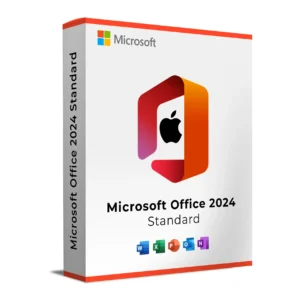
Microsoft Office 2019 Home and Business for macOS is the ultimate productivity solution for home users, professionals, and small businesses. This version includes essential applications such as Word, Excel, PowerPoint, and Outlook, tailored for macOS. With a focus on efficiency and simplicity, Office 2019 provides all the tools you need to create, manage, and share documents, spreadsheets, presentations, and emails seamlessly.
With a one-time purchase and no ongoing subscription required, this version of Office is perfect for users who prefer a stable and reliable solution without the need for constant updates or cloud storage features. Microsoft Office 2019 Home and Business is packed with advanced features that enhance productivity and collaboration, making it the ideal choice for business owners, remote workers, and students.
Key Features & Benefits:
Word – Create and edit professional documents with enhanced formatting, editing, and collaboration tools.
Excel – Analyze and visualize data with powerful spreadsheets, charts, and pivot tables.
PowerPoint – Design stunning presentations with a range of templates, animations, and media tools.
Outlook – Organize your emails, calendars, and contacts with a reliable and secure email platform.
One-Time Purchase – No subscription required—pay once for lifetime use.
Optimized for macOS – Seamlessly integrated with macOS for better performance and compatibility.
Enhanced Productivity – Includes advanced features like improved inking, enhanced data analysis tools, and new accessibility options.
Microsoft Office 2019 Home and Business for macOS is perfect for professionals, small business owners, and home users who need a dependable, easy-to-use office suite for their daily tasks, all without the complexity of cloud storage or subscriptions.
Sign in with your Microsoft account or create a new one if you don’t already have an account.
Enter your product key to verify and activate your software.
Download the installer for Office 2019 Home and Business for macOS.
Run the installer and follow the on-screen instructions to complete the installation.
Activation Notes:
Activation requires a Microsoft account and a stable internet connection for the verification process.
This version of Office is licensed for use on one device only.
💡 The activation key and installation instructions will be sent to your email immediately after purchase.
System Requirements
Operating System: macOS 10.14 (Mojave) or later
Processor: Intel processor or Apple Silicon (M1, M2)
RAM: 4 GB or more
Hard Disk: 10 GB available space
Display: 1280 x 800 resolution or higher
Internet: Required for installation, activation, and updates
💡 Ensure your macOS is updated to the latest version for optimal compatibility and performance with Office 2019.
Microsoft Office 2019 Home and Business for macOS is the ultimate productivity solution for home users, professionals, and small businesses. This version includes essential applications such as Word, Excel, PowerPoint, and Outlook, tailored for macOS. With a focus on efficiency and simplicity, Office 2019 provides all the tools you need to create, manage, and share documents, spreadsheets, presentations, and emails seamlessly.
With a one-time purchase and no ongoing subscription required, this version of Office is perfect for users who prefer a stable and reliable solution without the need for constant updates or cloud storage features. Microsoft Office 2019 Home and Business is packed with advanced features that enhance productivity and collaboration, making it the ideal choice for business owners, remote workers, and students.
Key Features & Benefits:
Word – Create and edit professional documents with enhanced formatting, editing, and collaboration tools.
Excel – Analyze and visualize data with powerful spreadsheets, charts, and pivot tables.
PowerPoint – Design stunning presentations with a range of templates, animations, and media tools.
Outlook – Organize your emails, calendars, and contacts with a reliable and secure email platform.
One-Time Purchase – No subscription required—pay once for lifetime use.
Optimized for macOS – Seamlessly integrated with macOS for better performance and compatibility.
Enhanced Productivity – Includes advanced features like improved inking, enhanced data analysis tools, and new accessibility options.
Microsoft Office 2019 Home and Business for macOS is perfect for professionals, small business owners, and home users who need a dependable, easy-to-use office suite for their daily tasks, all without the complexity of cloud storage or subscriptions.