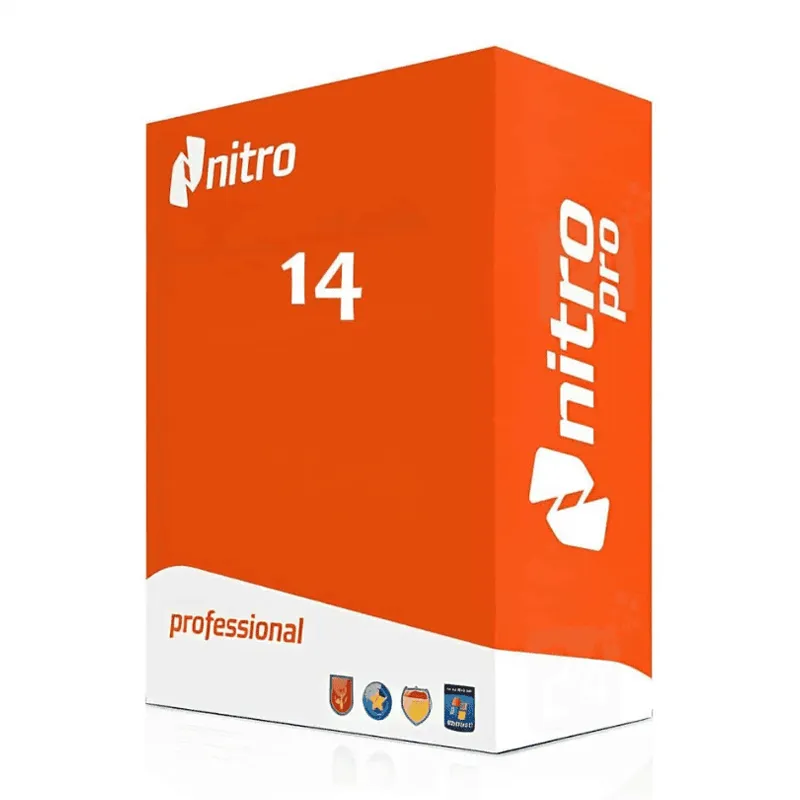
Nitro PDF Pro 14 for Windows (1 User) is a complete PDF productivity suite designed for professionals and businesses that need advanced document editing, conversion, and collaboration tools. With an intuitive Microsoft Office-style interface, Nitro PDF Pro makes it easy to work with PDFs just like Word documents.
This single-user license provides full access to premium features including PDF editing, form creation, eSigning, document comparison, and secure encryption. Whether you’re preparing contracts, invoices, reports, or legal documents, Nitro PDF Pro 14 delivers speed, accuracy, and reliability in a cost-effective solution.
Key Features & Benefits:
Full PDF Editing – Edit text, images, pages, and formatting directly within PDF documents.
PDF Conversion – Convert PDFs to Word, Excel, PowerPoint, and image formats with high accuracy.
Create & Merge PDFs – Create PDFs from any printable file and combine multiple documents into one.
eSignature Support – Sign documents electronically and request signatures securely.
Advanced Security – Protect files with password encryption, permissions control, and redaction tools.
Form Creation & Filling – Design interactive PDF forms or fill existing ones easily.
Document Comparison – Identify differences between two PDF versions quickly and accurately.
Nitro PDF Pro 14 Windows (1 User) is ideal for professionals who require a robust, easy-to-use PDF editor without ongoing subscription fees.
Installation and Activation
Installation Steps:
Download the Nitro PDF Pro 14 installer from the official link provided after purchase.
Run the installation file and follow the on-screen setup instructions.
Launch Nitro PDF Pro after installation.
Enter your license key to activate the software.
Activation Notes:
This license is valid for 1 user and can be activated on one Windows PC.
An internet connection is required for activation and updates.
💡 Your activation key and installation instructions will be delivered instantly via email after purchase.
System Requirements
System Requirements
Operating System: Windows 10 (64-bit), Windows 11
Processor: 1 GHz or faster processor
RAM: 4 GB minimum (8 GB recommended)
Storage: 2 GB available disk space
Display: 1024 x 768 resolution or higher
Internet: Required for activation and updates
💡 Ensure your system meets the minimum requirements for smooth PDF editing and document processing.
Nitro PDF Pro 14 for Windows (1 User) is a complete PDF productivity suite designed for professionals and businesses that need advanced document editing, conversion, and collaboration tools. With an intuitive Microsoft Office-style interface, Nitro PDF Pro makes it easy to work with PDFs just like Word documents.
This single-user license provides full access to premium features including PDF editing, form creation, eSigning, document comparison, and secure encryption. Whether you’re preparing contracts, invoices, reports, or legal documents, Nitro PDF Pro 14 delivers speed, accuracy, and reliability in a cost-effective solution.
Key Features & Benefits:
Full PDF Editing – Edit text, images, pages, and formatting directly within PDF documents.
PDF Conversion – Convert PDFs to Word, Excel, PowerPoint, and image formats with high accuracy.
Create & Merge PDFs – Create PDFs from any printable file and combine multiple documents into one.
eSignature Support – Sign documents electronically and request signatures securely.
Advanced Security – Protect files with password encryption, permissions control, and redaction tools.
Form Creation & Filling – Design interactive PDF forms or fill existing ones easily.
Document Comparison – Identify differences between two PDF versions quickly and accurately.
Nitro PDF Pro 14 Windows (1 User) is ideal for professionals who require a robust, easy-to-use PDF editor without ongoing subscription fees.
Installation Steps:
Download the Nitro PDF Pro 14 installer from the official link provided after purchase.
Run the installation file and follow the on-screen setup instructions.
Launch Nitro PDF Pro after installation.
Enter your license key to activate the software.
Activation Notes:
This license is valid for 1 user and can be activated on one Windows PC.
An internet connection is required for activation and updates.
💡 Your activation key and installation instructions will be delivered instantly via email after purchase.
System Requirements
Operating System: Windows 10 (64-bit), Windows 11
Processor: 1 GHz or faster processor
RAM: 4 GB minimum (8 GB recommended)
Storage: 2 GB available disk space
Display: 1024 x 768 resolution or higher
Internet: Required for activation and updates
💡 Ensure your system meets the minimum requirements for smooth PDF editing and document processing.