SKU : 31007
$ 325.11 Original price was: $ 325.11.$ 34.40Current price is: $ 34.40.
$ 348.37 Original price was: $ 348.37.$ 23.80Current price is: $ 23.80.
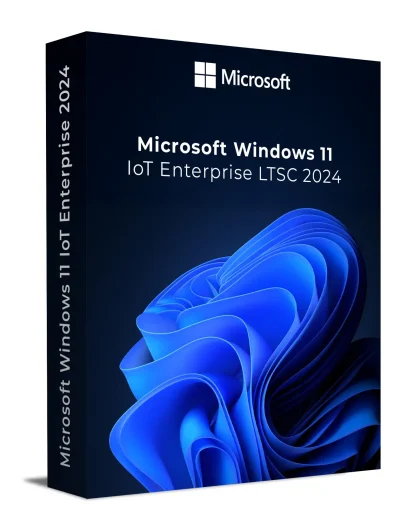
$ 325.11 Original price was: $ 325.11.$ 34.40Current price is: $ 34.40.
$ 263.17 Original price was: $ 263.17.$ 21.15Current price is: $ 21.15.
$ 529.00 Original price was: $ 529.00.$ 47.66Current price is: $ 47.66.
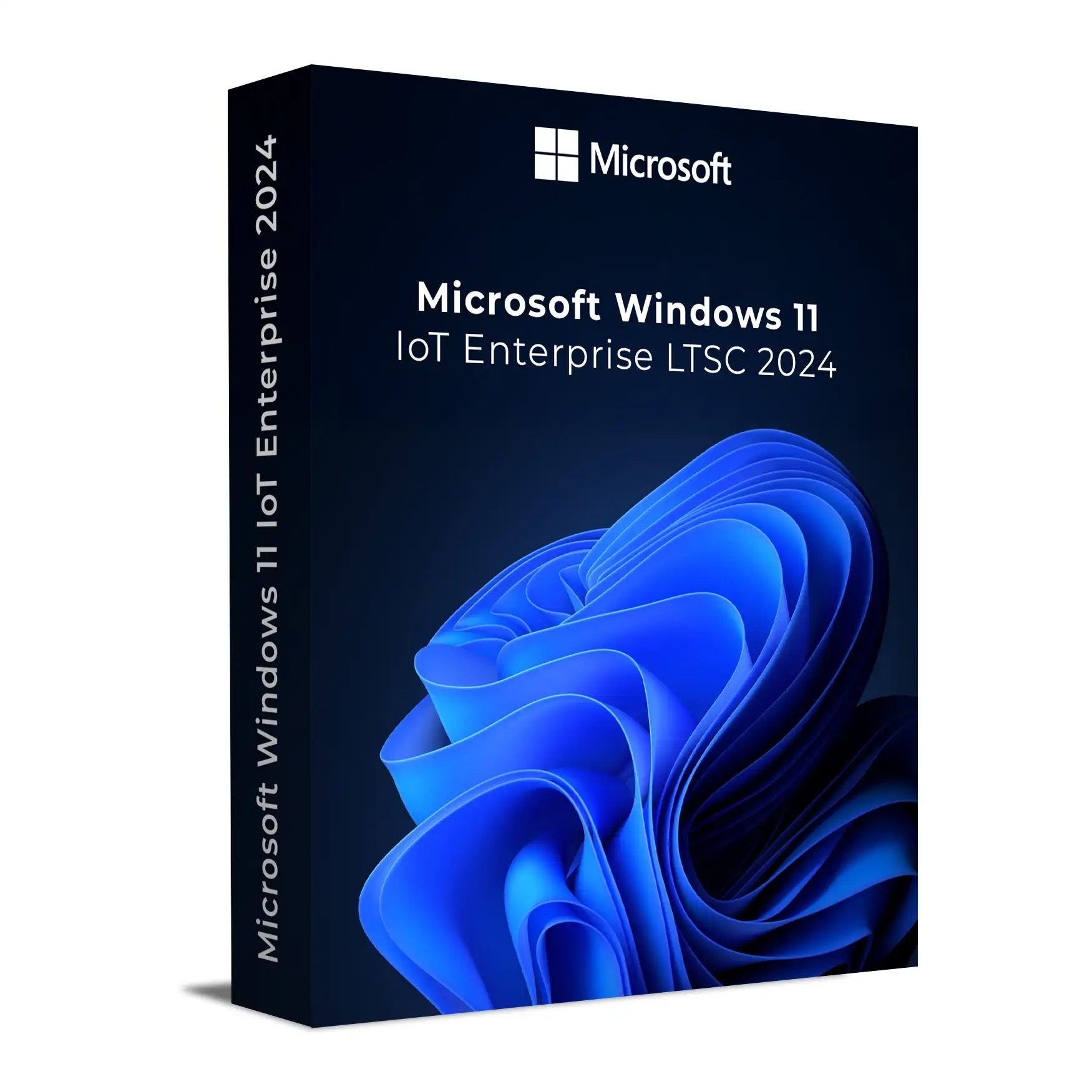
Windows 11 IoT Enterprise LTSC 2024 is a genuine long-term servicing Windows edition designed for fixed-function, specialized commercial devices in industrial, embedded, retail, healthcare, banking, hospitality, manufacturing, and mission-critical environments. This digital license includes a genuine product key, official Microsoft ISO download guidance, installation instructions, activation support, and fast email delivery.
Built for systems that require long-term stability, controlled updates, and minimal maintenance, Windows 11 IoT Enterprise LTSC 2024 provides a 10-year lifecycle of security and quality updates with no regular feature upgrades. It is suitable for ATMs, kiosks, point-of-sale systems, medical devices, digital signage, factory automation machines, and other dedicated commercial systems that require reliable performance and enterprise-grade protection.
This edition is based on Windows 11, version 24H2 and is intended for clean installation using the correct full ISO. This license activates the full Windows 11 IoT Enterprise LTSC 2024 edition and does not activate the Evaluation build.
| Feature | Windows 11 IoT Enterprise LTSC 2024 | Standard Windows 11 |
|---|---|---|
| Intended Use | Fixed-function, specialized commercial devices | General consumer and business PCs |
| Feature Updates | No regular feature upgrades | Receives regular feature updates |
| Support Lifecycle | 10-year lifecycle, ending October 10, 2034 | Shorter lifecycle depending on edition and version |
| Best For | Industrial PCs, kiosks, POS systems, medical devices, ATMs, digital signage, and embedded systems | Home users, office users, gaming PCs, and general productivity devices |
| Consumer Apps / Store Experience | Reduced consumer-focused experience for controlled deployments | Includes standard consumer and productivity app experience |
| Enterprise Management | Supports enterprise management through Group Policy, Intune / Endpoint Manager, and update controls | Management capabilities vary by edition |
| Device Lockdown Scenarios | Designed for controlled, fixed-purpose device experiences | Not primarily designed for fixed-function deployments |
| Installation Type | Best suited for clean installation using the correct full ISO | Typically installed or upgraded through standard Windows channels |
| Ideal Buyer | Businesses, IT admins, system builders, integrators, and commercial device operators | General users and standard office environments |
This license cannot activate the Evaluation version of Windows 11 IoT Enterprise LTSC 2024. If you have already installed the Evaluation build, you must perform a clean installation using the full ISO provided after purchase. Activation is only possible with the correct edition.
Yes. You receive a genuine Windows 11 IoT Enterprise LTSC 2024 license key with digital delivery, installation guidance, and activation support.
This edition is designed mainly for fixed-function and specialized commercial devices. If you need a standard home or office experience, Windows 11 Pro may be more suitable.
No. This license does not activate the Evaluation version. If the Evaluation build is already installed, you must perform a clean installation using the correct full ISO.
Yes. You receive official Microsoft ISO download guidance with your product key and installation instructions.
Your Windows 11 IoT Enterprise LTSC 2024 product key is delivered digitally to your inbox after purchase.
In most cases, you can reinstall Windows on the same device and activate again, provided the license is used according to the applicable license terms and the installed edition matches the key.
No. A Windows license key is normally intended for one device unless your specific license terms state otherwise.
Windows 11 Pro is designed for general business and professional PCs. Windows 11 IoT Enterprise LTSC 2024 is designed for fixed-function, specialized commercial devices that need long-term stability and controlled updates.
No regular feature upgrades are delivered through the LTSC servicing model. The edition receives quality and security updates during its lifecycle.
Microsoft lists Windows 11 IoT Enterprise LTSC 2024 under the Fixed Lifecycle Policy, with extended support ending on October 10, 2034.
First confirm that you installed the full Windows 11 IoT Enterprise LTSC 2024 edition, not the Evaluation version. Then check your internet connection and retry activation. If the issue continues, contact Keys Experts support.
Yes. Windows 11 IoT Enterprise LTSC 2024 is suitable for many kiosk, POS, digital signage, industrial, and embedded device scenarios where long-term stability is important.
Yes. Installation and activation guidance is included, and our support team can assist if you need help.
Yes. This is a digital software license delivered by email. No physical shipment is required.
For this product, a clean installation using the correct full Windows 11 IoT Enterprise LTSC 2024 ISO is recommended to avoid edition mismatch and activation issues.
With our simple step-by-step instructions, setting up your Windows 11 IoT Enterprise LTSC 2024 software will be quick and smooth. 🔑 If you don’t have a license key yet, you can purchase one here.
Ensure you have:
A USB drive, at least 8 GB, or a blank DVD
The Windows 11 IoT Enterprise LTSC 2024 ISO file provided after purchase
A valid Windows 11 IoT Enterprise LTSC 2024 license key, which can be entered during or after installation
Download the ISO file from the link we provided.
Use tools like Rufus for USB installation media or another suitable bootable media tool.
Restart your PC and enter the BIOS/UEFI settings. Common keys: F2, F12, DEL, F10, ESC.
Locate the Boot section.
Set your USB/DVD as the primary boot device.
Save and exit BIOS.
⚠️ Do not change any other BIOS settings unless you understand the effect on your device configuration.
Boot your computer using the USB/DVD.
Windows Setup will launch. Choose:
Language
Time format
Keyboard layout
Click Next and then Install Now.
Enter the Windows 11 IoT Enterprise LTSC 2024 license key provided after purchase.
Or click “I don’t have a product key” to continue and activate later.
Select Custom: Install Windows only (advanced).
Choose the hard drive/partition for installation.
If another OS is installed, delete that partition only if you want a clean install and have backed up your data.
Click Next to begin installation.
Windows will copy files and install automatically.
Once installed, you’ll be asked to:
Create a user account and password
Choose privacy and region settings
Congratulations! Your Windows 11 IoT Enterprise LTSC 2024 system is now installed and ready to use.
🛡️ Don’t forget to activate Windows by going to Settings > System > Activation.
If you do not have a license key yet, you can buy Windows 11 IoT Enterprise LTSC 2024 from here.
Need help? Our 24/7 support team is available for installation and activation assistance!
Applies to: Windows 11 IoT Enterprise LTSC 2024
These are the minimum hardware requirements to boot, run, update, and service Windows IoT Enterprise. They help OEMs/ODMs and silicon vendors make early design decisions. This is not a certification checklist.
| Component | Preferred Minimum |
|---|---|
| Processor | 1 GHz or faster, 2+ cores, 64-bit CPU/SoC |
| System Memory | 4 GB |
| Storage Size | 64 GB |
| Storage Type | SSD |
| System Firmware | UEFI |
| TPM | TPM 2.0 |
| Secure Boot | Enabled |
| Graphics (DirectX) | DirectX 12 (WDDM 2.0) |
| Display | 9″ diagonal, 720p HD (1280×720) |
| Component | Optional Minimum |
|---|---|
| Processor | 1 GHz or faster, 2+ cores, 64-bit CPU/SoC |
| System Memory | 2 GB |
| Storage Size | 16 GB |
| Storage Type | SSD, HDD, SSHD, or Flash (eMMC, SD, USB) |
| System Firmware | BIOS |
| TPM | Optional (not required) |
| Secure Boot | Optional (not required) |
| Graphics (DirectX) | DirectX 10 or None |
| Display | Custom size / Optional |
Windows 11 IoT Enterprise LTSC 2024 is a genuine long-term servicing Windows edition designed for fixed-function, specialized commercial devices in industrial, embedded, retail, healthcare, banking, hospitality, manufacturing, and mission-critical environments. This digital license includes a genuine product key, official Microsoft ISO download guidance, installation instructions, activation support, and fast email delivery.
Built for systems that require long-term stability, controlled updates, and minimal maintenance, Windows 11 IoT Enterprise LTSC 2024 provides a 10-year lifecycle of security and quality updates with no regular feature upgrades. It is suitable for ATMs, kiosks, point-of-sale systems, medical devices, digital signage, factory automation machines, and other dedicated commercial systems that require reliable performance and enterprise-grade protection.
This edition is based on Windows 11, version 24H2 and is intended for clean installation using the correct full ISO. This license activates the full Windows 11 IoT Enterprise LTSC 2024 edition and does not activate the Evaluation build.
| Feature | Windows 11 IoT Enterprise LTSC 2024 | Standard Windows 11 |
|---|---|---|
| Intended Use | Fixed-function, specialized commercial devices | General consumer and business PCs |
| Feature Updates | No regular feature upgrades | Receives regular feature updates |
| Support Lifecycle | 10-year lifecycle, ending October 10, 2034 | Shorter lifecycle depending on edition and version |
| Best For | Industrial PCs, kiosks, POS systems, medical devices, ATMs, digital signage, and embedded systems | Home users, office users, gaming PCs, and general productivity devices |
| Consumer Apps / Store Experience | Reduced consumer-focused experience for controlled deployments | Includes standard consumer and productivity app experience |
| Enterprise Management | Supports enterprise management through Group Policy, Intune / Endpoint Manager, and update controls | Management capabilities vary by edition |
| Device Lockdown Scenarios | Designed for controlled, fixed-purpose device experiences | Not primarily designed for fixed-function deployments |
| Installation Type | Best suited for clean installation using the correct full ISO | Typically installed or upgraded through standard Windows channels |
| Ideal Buyer | Businesses, IT admins, system builders, integrators, and commercial device operators | General users and standard office environments |
This license cannot activate the Evaluation version of Windows 11 IoT Enterprise LTSC 2024. If you have already installed the Evaluation build, you must perform a clean installation using the full ISO provided after purchase. Activation is only possible with the correct edition.
Yes. You receive a genuine Windows 11 IoT Enterprise LTSC 2024 license key with digital delivery, installation guidance, and activation support.
This edition is designed mainly for fixed-function and specialized commercial devices. If you need a standard home or office experience, Windows 11 Pro may be more suitable.
No. This license does not activate the Evaluation version. If the Evaluation build is already installed, you must perform a clean installation using the correct full ISO.
Yes. You receive official Microsoft ISO download guidance with your product key and installation instructions.
Your Windows 11 IoT Enterprise LTSC 2024 product key is delivered digitally to your inbox after purchase.
In most cases, you can reinstall Windows on the same device and activate again, provided the license is used according to the applicable license terms and the installed edition matches the key.
No. A Windows license key is normally intended for one device unless your specific license terms state otherwise.
Windows 11 Pro is designed for general business and professional PCs. Windows 11 IoT Enterprise LTSC 2024 is designed for fixed-function, specialized commercial devices that need long-term stability and controlled updates.
No regular feature upgrades are delivered through the LTSC servicing model. The edition receives quality and security updates during its lifecycle.
Microsoft lists Windows 11 IoT Enterprise LTSC 2024 under the Fixed Lifecycle Policy, with extended support ending on October 10, 2034.
First confirm that you installed the full Windows 11 IoT Enterprise LTSC 2024 edition, not the Evaluation version. Then check your internet connection and retry activation. If the issue continues, contact Keys Experts support.
Yes. Windows 11 IoT Enterprise LTSC 2024 is suitable for many kiosk, POS, digital signage, industrial, and embedded device scenarios where long-term stability is important.
Yes. Installation and activation guidance is included, and our support team can assist if you need help.
Yes. This is a digital software license delivered by email. No physical shipment is required.
For this product, a clean installation using the correct full Windows 11 IoT Enterprise LTSC 2024 ISO is recommended to avoid edition mismatch and activation issues.
With our simple step-by-step instructions, setting up your Windows 11 IoT Enterprise LTSC 2024 software will be quick and smooth. 🔑 If you don’t have a license key yet, you can purchase one here.
Ensure you have:
A USB drive, at least 8 GB, or a blank DVD
The Windows 11 IoT Enterprise LTSC 2024 ISO file provided after purchase
A valid Windows 11 IoT Enterprise LTSC 2024 license key, which can be entered during or after installation
Download the ISO file from the link we provided.
Use tools like Rufus for USB installation media or another suitable bootable media tool.
Restart your PC and enter the BIOS/UEFI settings. Common keys: F2, F12, DEL, F10, ESC.
Locate the Boot section.
Set your USB/DVD as the primary boot device.
Save and exit BIOS.
⚠️ Do not change any other BIOS settings unless you understand the effect on your device configuration.
Boot your computer using the USB/DVD.
Windows Setup will launch. Choose:
Language
Time format
Keyboard layout
Click Next and then Install Now.
Enter the Windows 11 IoT Enterprise LTSC 2024 license key provided after purchase.
Or click “I don’t have a product key” to continue and activate later.
Select Custom: Install Windows only (advanced).
Choose the hard drive/partition for installation.
If another OS is installed, delete that partition only if you want a clean install and have backed up your data.
Click Next to begin installation.
Windows will copy files and install automatically.
Once installed, you’ll be asked to:
Create a user account and password
Choose privacy and region settings
Congratulations! Your Windows 11 IoT Enterprise LTSC 2024 system is now installed and ready to use.
🛡️ Don’t forget to activate Windows by going to Settings > System > Activation.
If you do not have a license key yet, you can buy Windows 11 IoT Enterprise LTSC 2024 from here.
Need help? Our 24/7 support team is available for installation and activation assistance!
Applies to: Windows 11 IoT Enterprise LTSC 2024
These are the minimum hardware requirements to boot, run, update, and service Windows IoT Enterprise. They help OEMs/ODMs and silicon vendors make early design decisions. This is not a certification checklist.
| Component | Preferred Minimum |
|---|---|
| Processor | 1 GHz or faster, 2+ cores, 64-bit CPU/SoC |
| System Memory | 4 GB |
| Storage Size | 64 GB |
| Storage Type | SSD |
| System Firmware | UEFI |
| TPM | TPM 2.0 |
| Secure Boot | Enabled |
| Graphics (DirectX) | DirectX 12 (WDDM 2.0) |
| Display | 9″ diagonal, 720p HD (1280×720) |
| Component | Optional Minimum |
|---|---|
| Processor | 1 GHz or faster, 2+ cores, 64-bit CPU/SoC |
| System Memory | 2 GB |
| Storage Size | 16 GB |
| Storage Type | SSD, HDD, SSHD, or Flash (eMMC, SD, USB) |
| System Firmware | BIOS |
| TPM | Optional (not required) |
| Secure Boot | Optional (not required) |
| Graphics (DirectX) | DirectX 10 or None |
| Display | Custom size / Optional |